
MountDev Ops · Sales · Building
MountDev Ops CRM
Contacts, deals and follow-ups, kept in your own WordPress database instead of rented from a vendor. MountDev Ops CRM is the first app in the suite, and every app after it reads the same records.
What makes it different
- Your database, not ours
- Free, with paid features later
- Works with the rest of the suite
- No per-seat pricing
- Runs in the WordPress you already have
- Built security first
What it is
A CRM that lives on your own site
Stop renting your customer list. Leads, contacts, accounts, deals and tasks live in your own WordPress database, your team works on your own site, and it costs nothing however many of them there are.
Why this one
What you get here that you do not get elsewhere
Most CRMs are somebody else’s software holding your customer list, priced by the head. This one runs on your site, on your terms.
Your database, your data
Everything CRM stores lives in your site’s own database. No copy sits with a vendor, and answering a privacy request means querying your own server.
No charge per person
Add the whole team. CRM is free on WordPress.org, and Pro is one subscription for the site rather than a price per seat that grows every time you hire.
Your team works on the front end
The team uses CRM on a normal page of your site, through the [mountdev_ops] shortcode, inside your own theme. Only admins need wp-admin.
Who sees what, in the free version
Three starter roles out of the box: Manager sees everything, Team member works on their own customers and deals, Viewer can look but not change. Rename them or write your own.
Built for AI agents, with the brakes on
Every setup action has an ability an assistant can call, one action per call. Rules an agent saves stay switched off until a person turns them on, and every AI change is marked in the history and the activity log.
It looks like your site, not like a plugin
CRM takes its fonts, colors, buttons and fields from your own theme, on light and dark themes alike, and uses your theme's accent color unless you set your own. Your team sees your site, not somebody else's interface.
Ready the moment you activate it
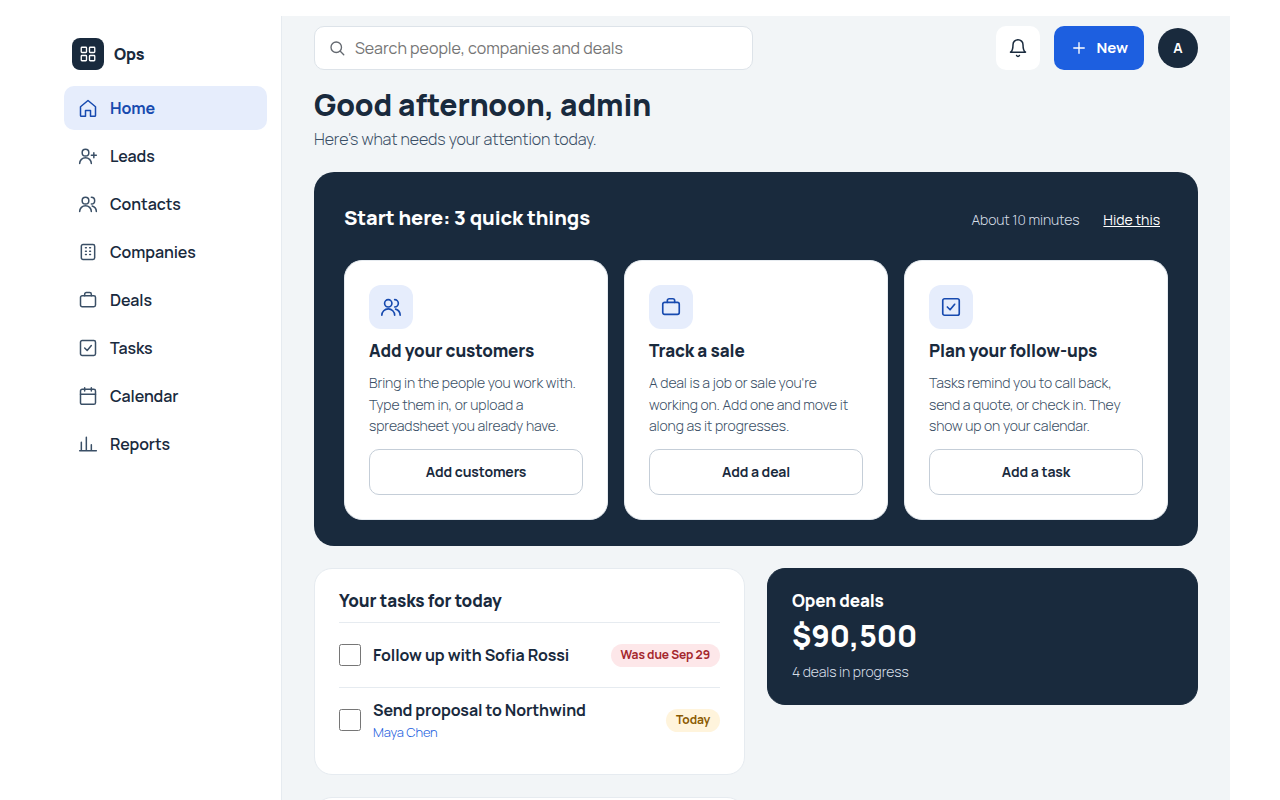
Five modules, a Sales pipeline, three boards, six saved views, five reports and a Turn a lead into a customer flow are there on install. Nothing to assemble before the team can start.
Our commitment
MountDev Ops is built security first. Your data stays on your server. Our plugins never phone home, and we never use analytics or tracking of any kind. The only exception is the MountDev Ops Pro license check, which sends only your license key and site address. Nothing else is sent anywhere unless you set it up yourself.
Keeping that promise takes a properly configured server. Here is what MountDev Ops needs:
- PHP 8.3 or newer
- WordPress 7.0 or newer
- MySQL 8.0 or MariaDB 10.6 or newer
- HTTPS across the whole site
- Scheduled tasks run by a server cron job. By default WordPress runs them only when someone visits your site, so they can run late or not at all.
MountDev Ops checks all of these under Tools > Site Health, and shows their status on the Ops home screen.
Contacts
Everyone you deal with, in one place
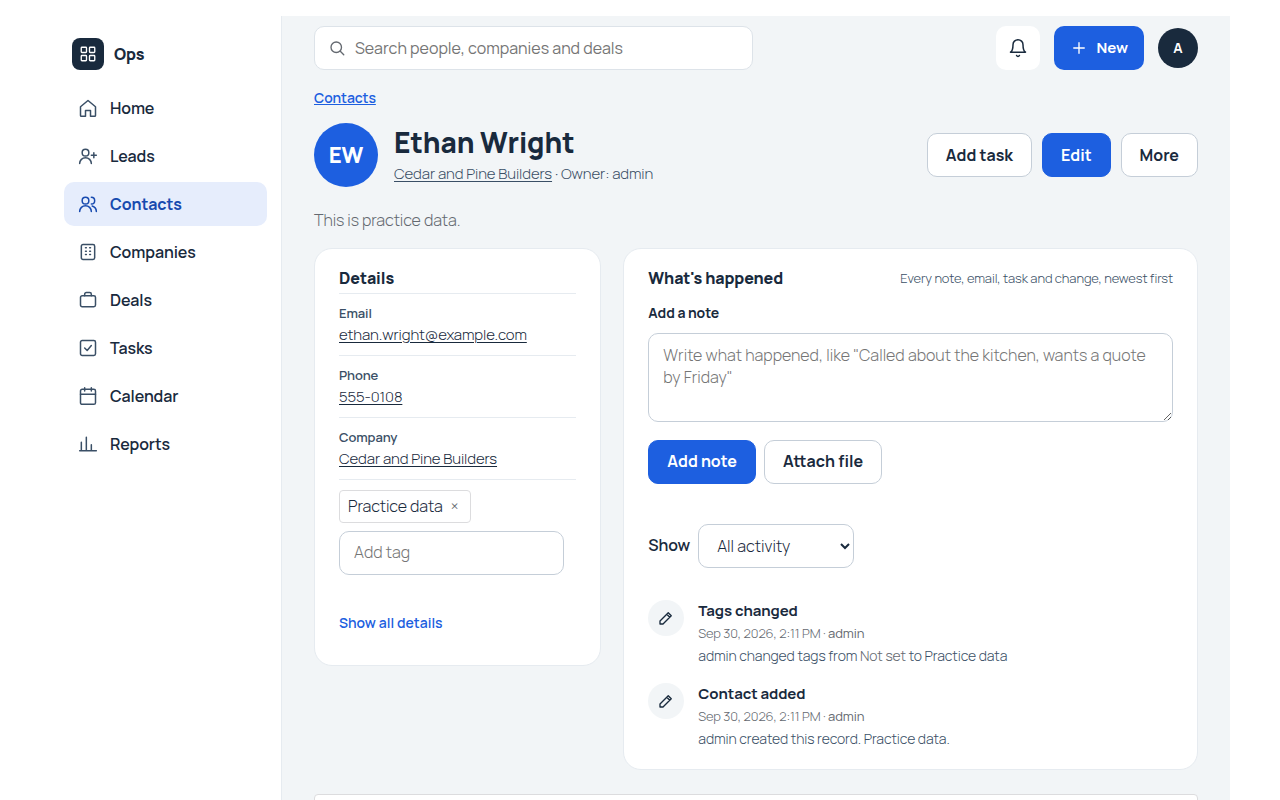
Leads, contacts and accounts each have their own records, and they know about each other. A contact belongs to an account, a deal belongs to both, and nothing needs retyping.
- Lead capture and status from New through Contacted, Qualified and Converted
- Lead source so you know what is actually working
- Convert in one step into an account, a contact and a deal
- Open deal counts kept up to date on every contact
- Account totals for open deal value and won deal value
- Duplicate checks and merging before your list gets messy
Deals
A pipeline that tells you the truth
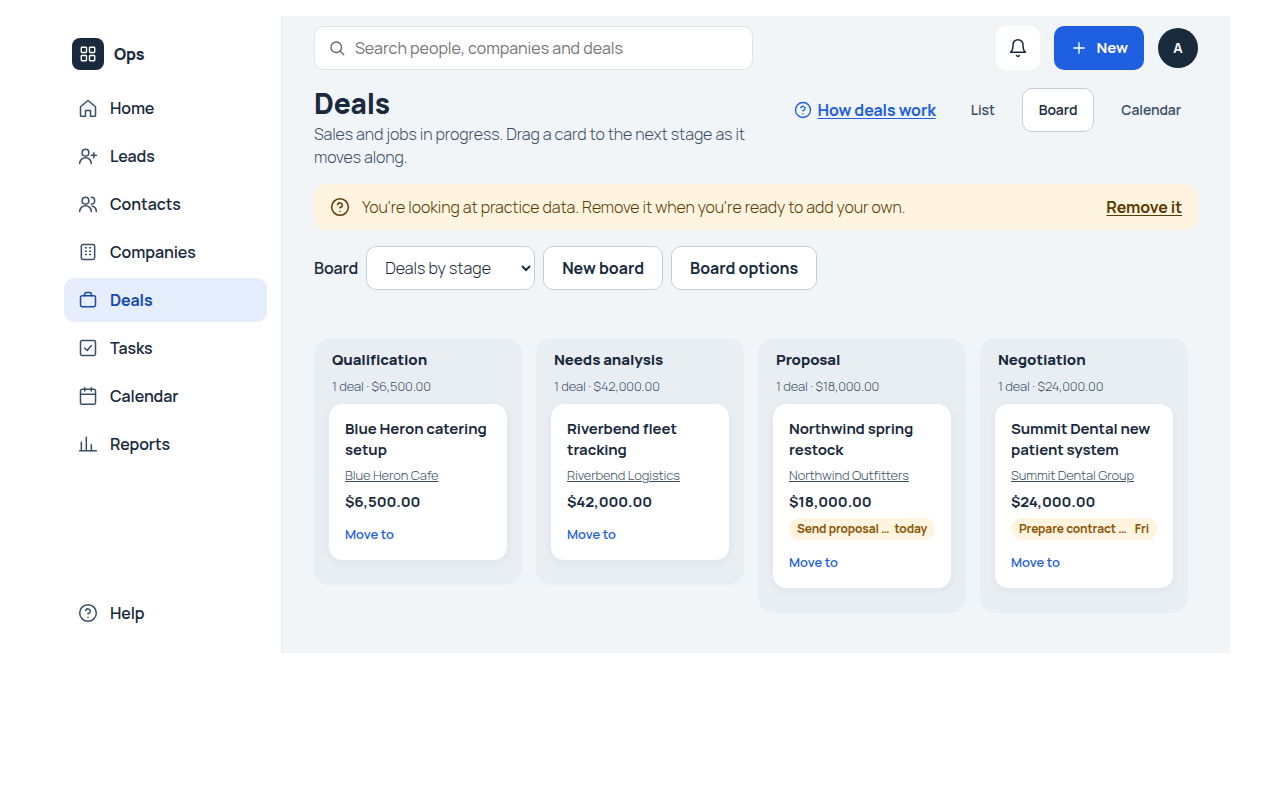
Every deal sits at a stage, and the stage carries its own probability. Expected revenue calculates itself, so the forecast is a by-product of doing the work rather than a spreadsheet somebody updates on Fridays.
- Sales pipeline set up with six stages, from Qualification to Closed won
- Multiple pipelines when one process does not fit everything
- Drag and drop board with a running total on every column
- Probability from the stage, or set it per deal when you know better
- Expected revenue calculated from amount and probability
- Validation rules so a deal cannot close without what it needs
Tasks
The follow-up that actually happens
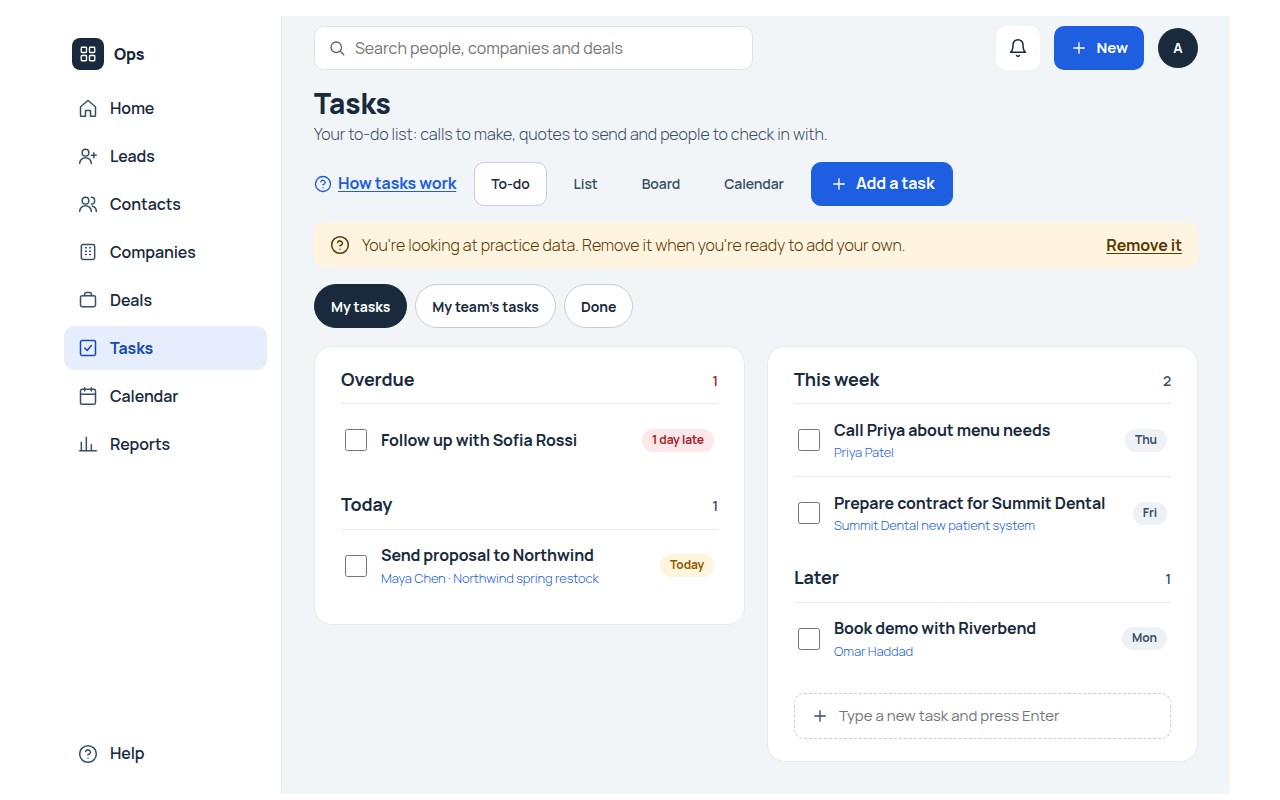
Most deals are lost to silence rather than to a competitor. Tasks carry due dates and reminders, sit on a calendar, and link back to the customer they belong to.
- Due dates and reminders on any task
- A calendar showing tasks and deal close dates together
- My open tasks and My overdue tasks ready to use
- Priority and status so the list sorts itself
- Linked to the record, whether that is a contact, an account or a deal
- Board by status for the whole team at a glance
Send from the record, keep the history
Email goes out from the customer record with a saved template and merge fields, and the message is logged on their timeline. The next person to open that record sees what was said.
- Templates with merge fields that fill in per recipient
- Attachments when you need them
- Logged on the record, not lost in somebody’s sent items
- Sent through your own site, using your own mail setup
Automation
Rules that do the admin for you
CRM ships with no rules at all, so nothing fires that you did not ask for. Add your own and the repetitive parts take care of themselves.
- Update a field when something changes
- Notify the owner at the moment it matters
- Create the follow-up task when a deal hits a stage
- Assignment rules that decide who owns new records
- Works across the suite, including records other Ops apps create
- Runs on your server, on your own schedule
Reporting
Numbers you can act on
Five reports come set up, and each one shows only the records the person opening it is allowed to see. A rep opening the pipeline sees their pipeline.
- Pipeline by stage with value per stage
- Won deals by month
- Leads by source
- Deals closing this month
- Open tasks by owner
- Permission aware, so numbers never leak between reps
Your team
Permissions that match how you work
Three roles come ready: Sales Manager sees everything, Sales Rep sees their own records, Read Only looks without touching. Rename them, change them, or build your own.
- Per module permissions for view, create, edit and delete
- Own records or all records, decided per role
- Boards and reports obey the same rules
- Front end for the team, wp-admin for the people setting it up
- Import and export limited to who should have it
- Privacy export and erase built in
Every feature on this page is in the free plugin. MountDev Ops Pro is the paid add-on for licensing, signed updates and a promo-free admin, and it never takes anything away from the free app.
About ProBefore you install
What your server needs
These are the suite’s requirements, not just this app. If a site is below them the plugin refuses to activate and tells you which one to fix.
- PHP 8.3 or newer
- WordPress 7.0 or newer
- MySQL 8.0 or MariaDB 10.6
- HTTPS
- Scheduled tasks run by a server cron job
Most shared hosting will not have all five. We can check yours, and if you would rather not think about it, hosting is one of our services.
Want it when it ships?
MountDev Ops CRM is still being built. Tell us how you track customers today and what keeps breaking, and we will let you know the day it lands on WordPress.org.
Ask us
Common questions about the CRM
Still deciding? The documentation covers setup, permissions and every field in detail.
Read the docsWhere does my data live?
In your own WordPress database, on your own hosting. Nothing is sent to us, ever.
What happens if I remove the plugin?
Your records stay in the database. Deleting the plugin does not delete your data.
Where does my team work?
On the Ops page of your own site, inside your own theme. Admins set things up in wp-admin under Ops.
Can I change the fields?
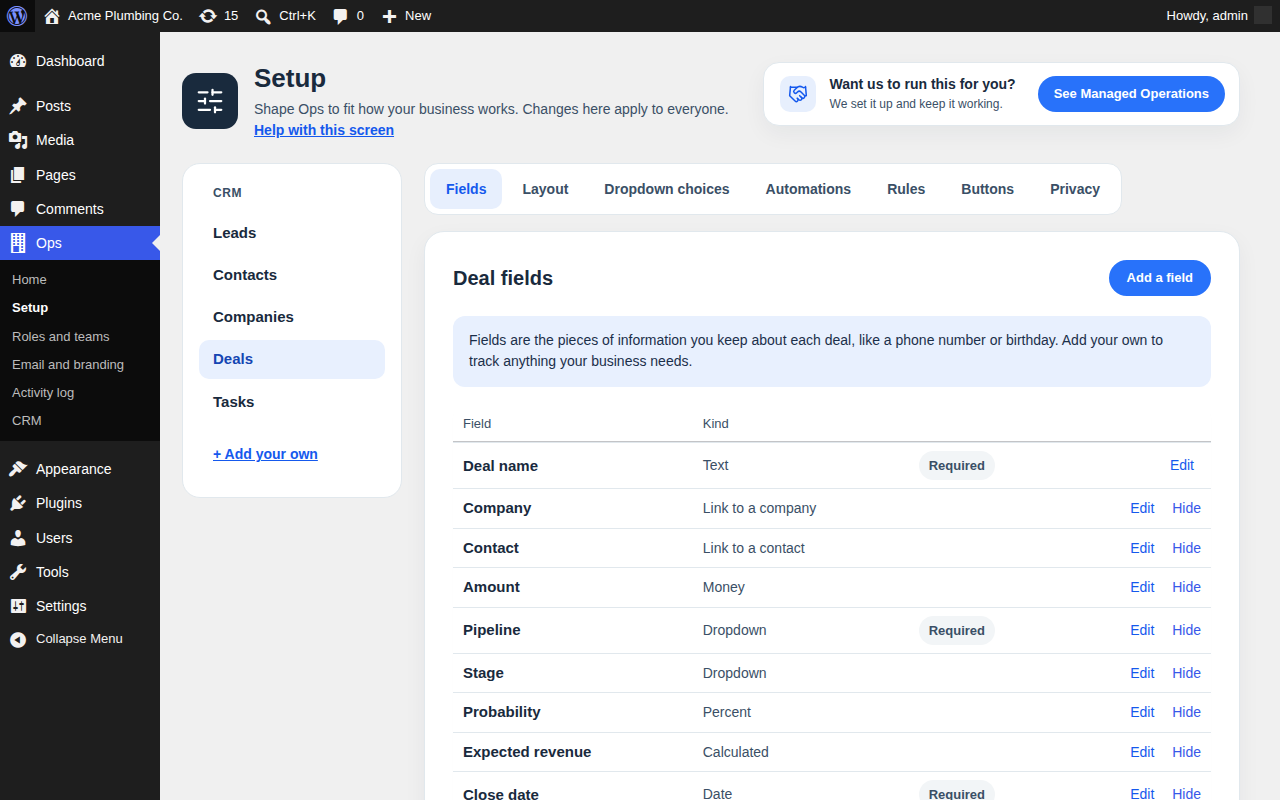
Yes. Rename or hide the built-in ones and add your own. Built-ins cannot be deleted, which is what keeps updates safe.
Does it work with the other Ops apps?
Yes. CRM holds the people and companies for all of them, so a customer is one record rather than one per app.
Can AI tools use it?
Only if you connect them. CRM registers abilities through WordPress so an assistant acts as the signed-in user, with the same permission checks. Nothing is connected by default.
Is there a trial?
There is nothing to trial. The plugin is free, and sample data is included so you can see it working before you put real records in.
What is the catch?
None on the CRM: every feature is in the free plugin and stays there. We sell MountDev Ops Pro for licensing, signed updates and a promo-free admin, and we host and look after sites for people who would rather not do it themselves.
When can I install it?
Not yet. It is in build, and this page fills in as it ships.